We use cookies to ensure you have the best experience on our website. If you continue to use this site, we will assume that you agree with our
Privacy Policies , Use Terms
and cookies.
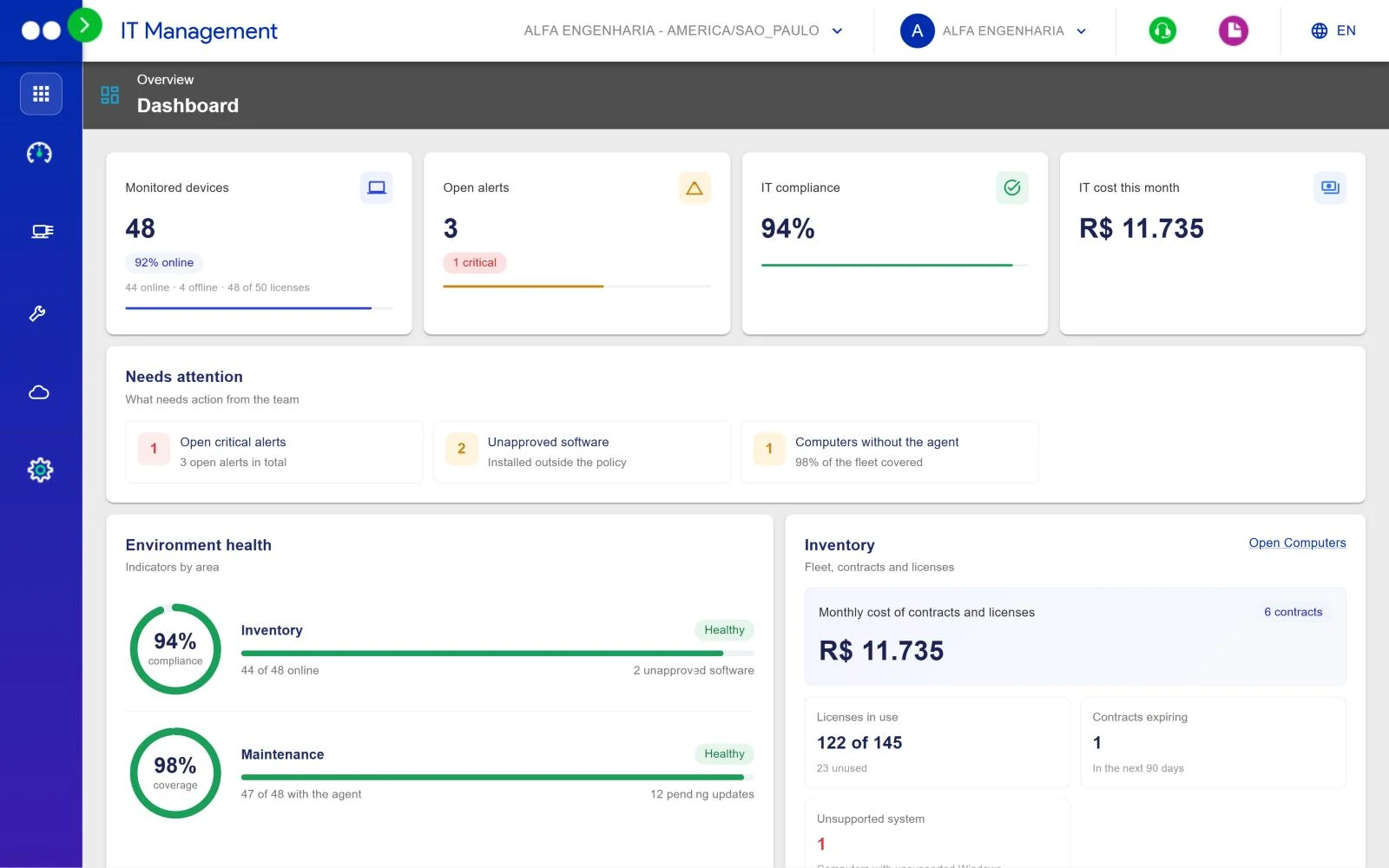
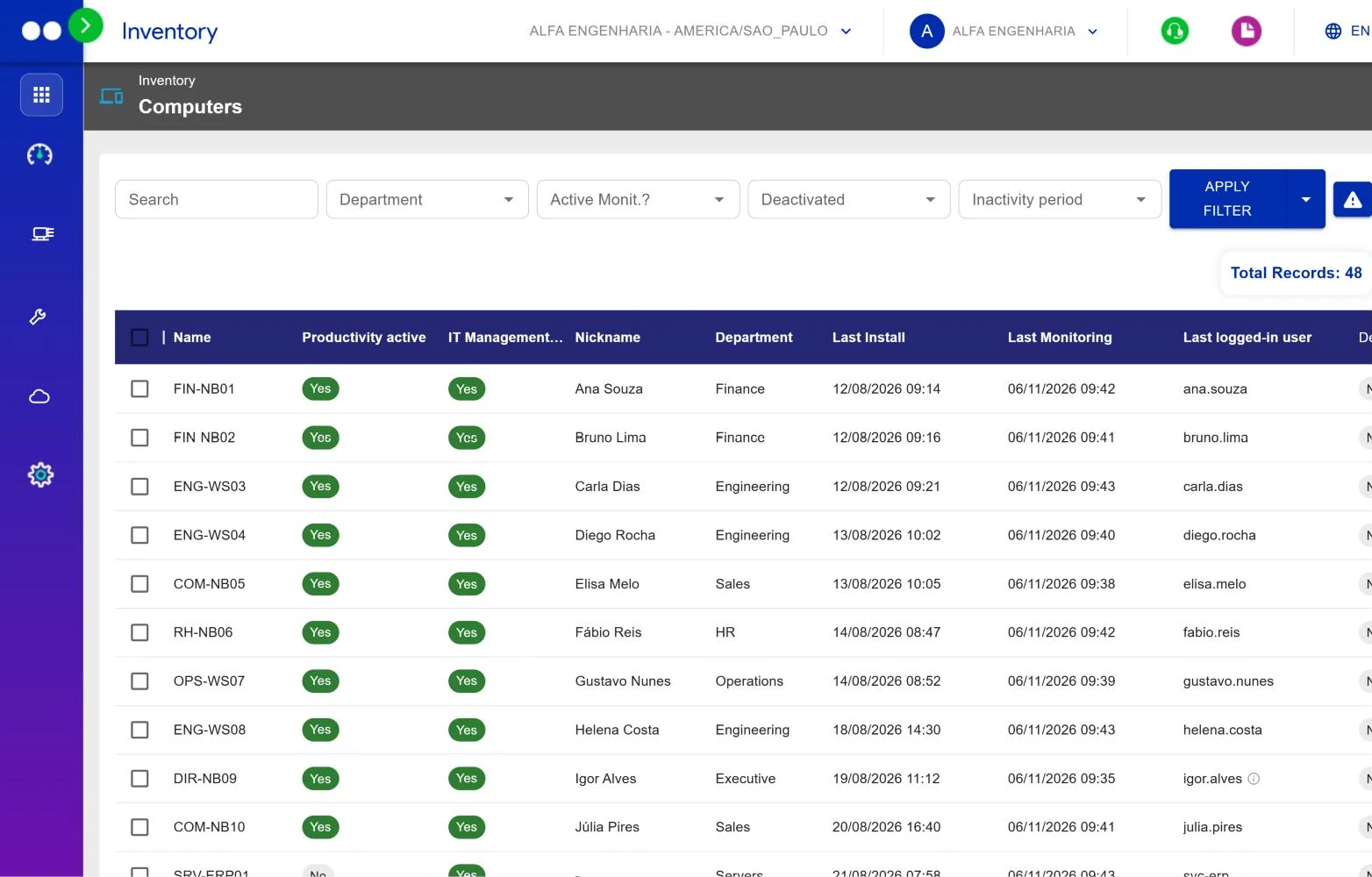
Every computer shows up with its hardware, software and current user. When something changes, the inventory changes with it. No more spreadsheet that is outdated the day it is made.
Hardware and software for every machineActive computer missing from the inventory
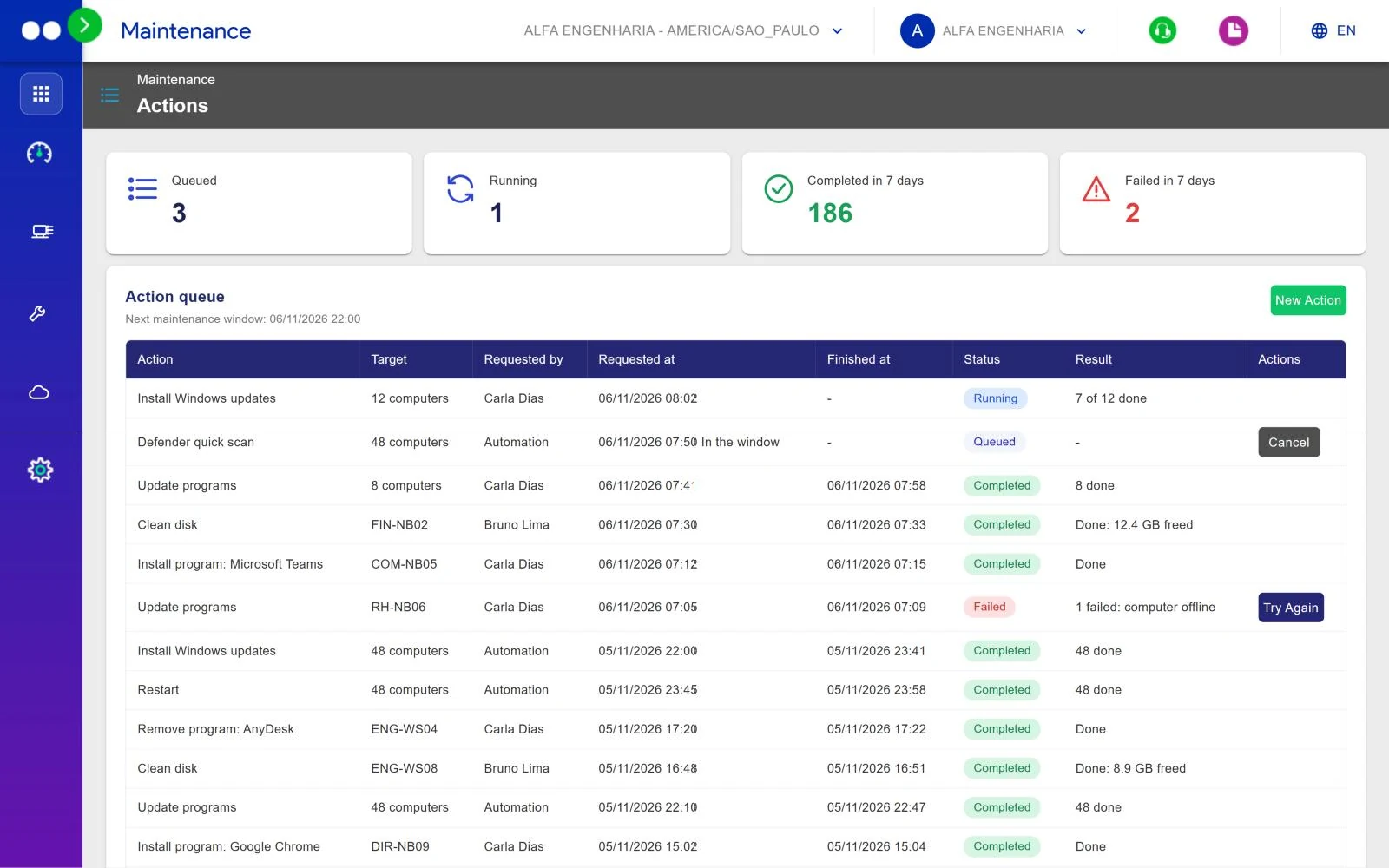
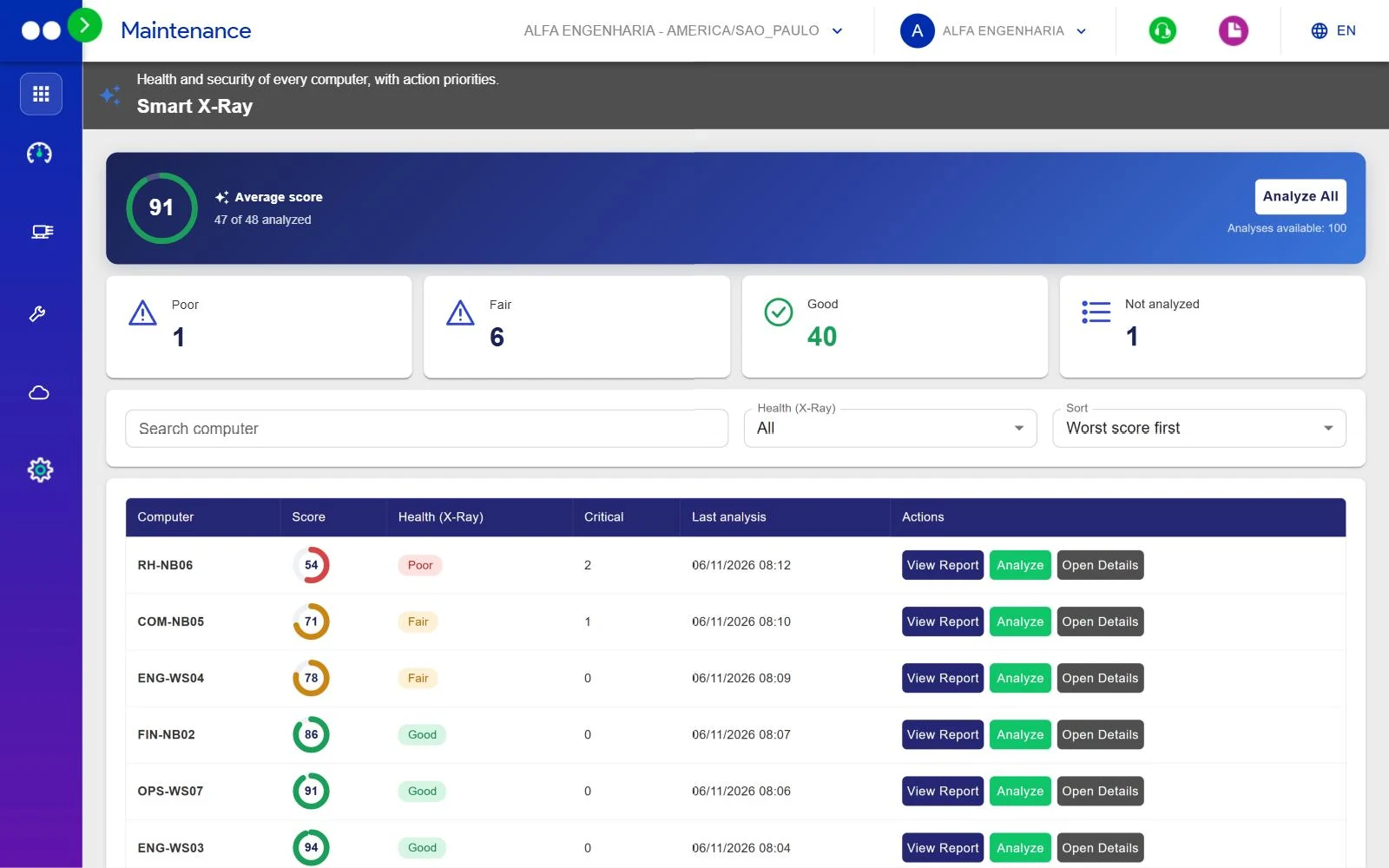
Maintenance without leaving your desk
Update Windows and software, clean disks and schedule restarts on one computer or many at once. It all runs in the maintenance window, without interrupting anyone.
Open the computer's record, see what is wrong and connect through the browser, whether it is at headquarters, a branch or at home. Disk cleanup, restarts and updates are one click away.
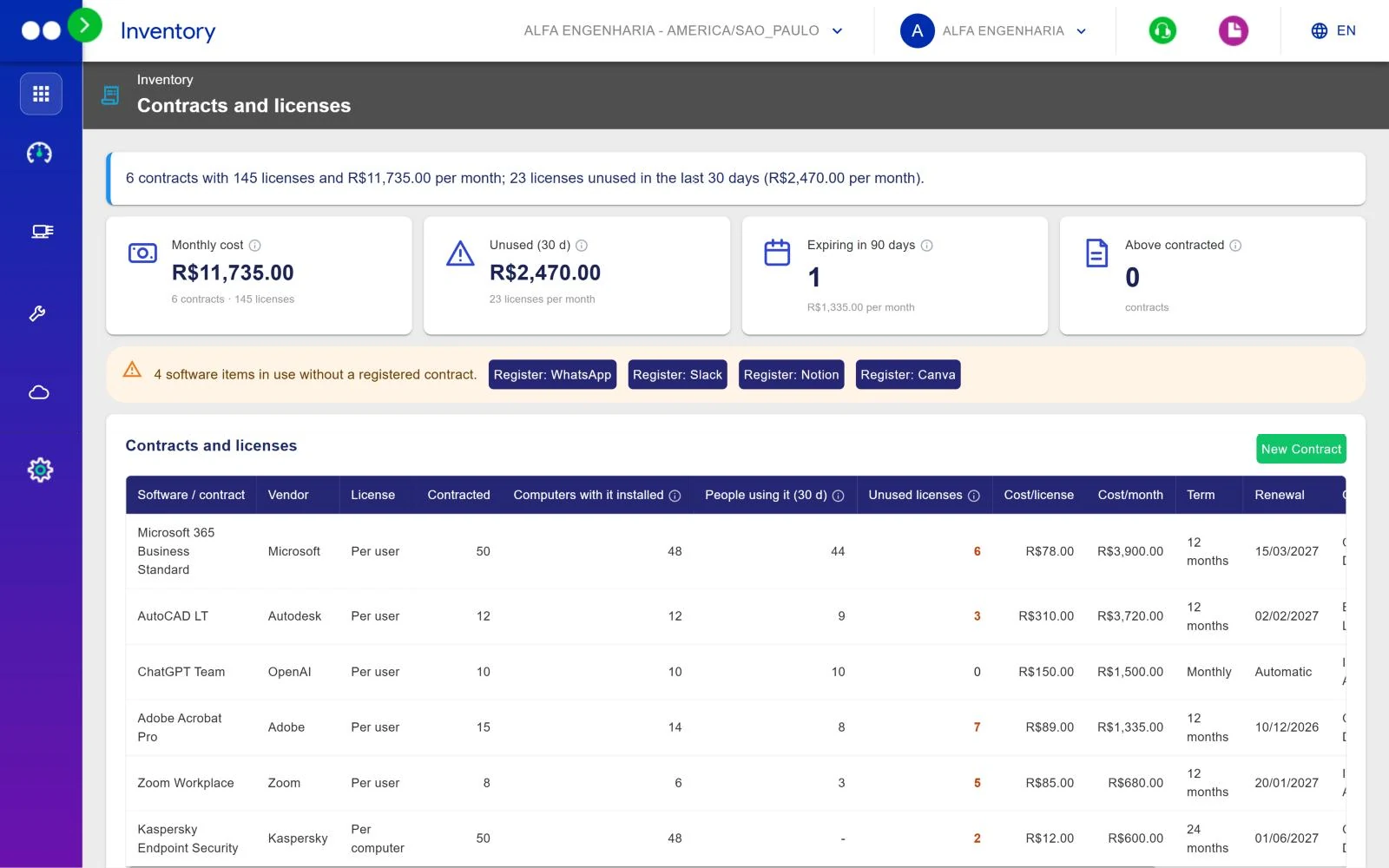
Contracts and paid licenses nobody uses, with the cost
03
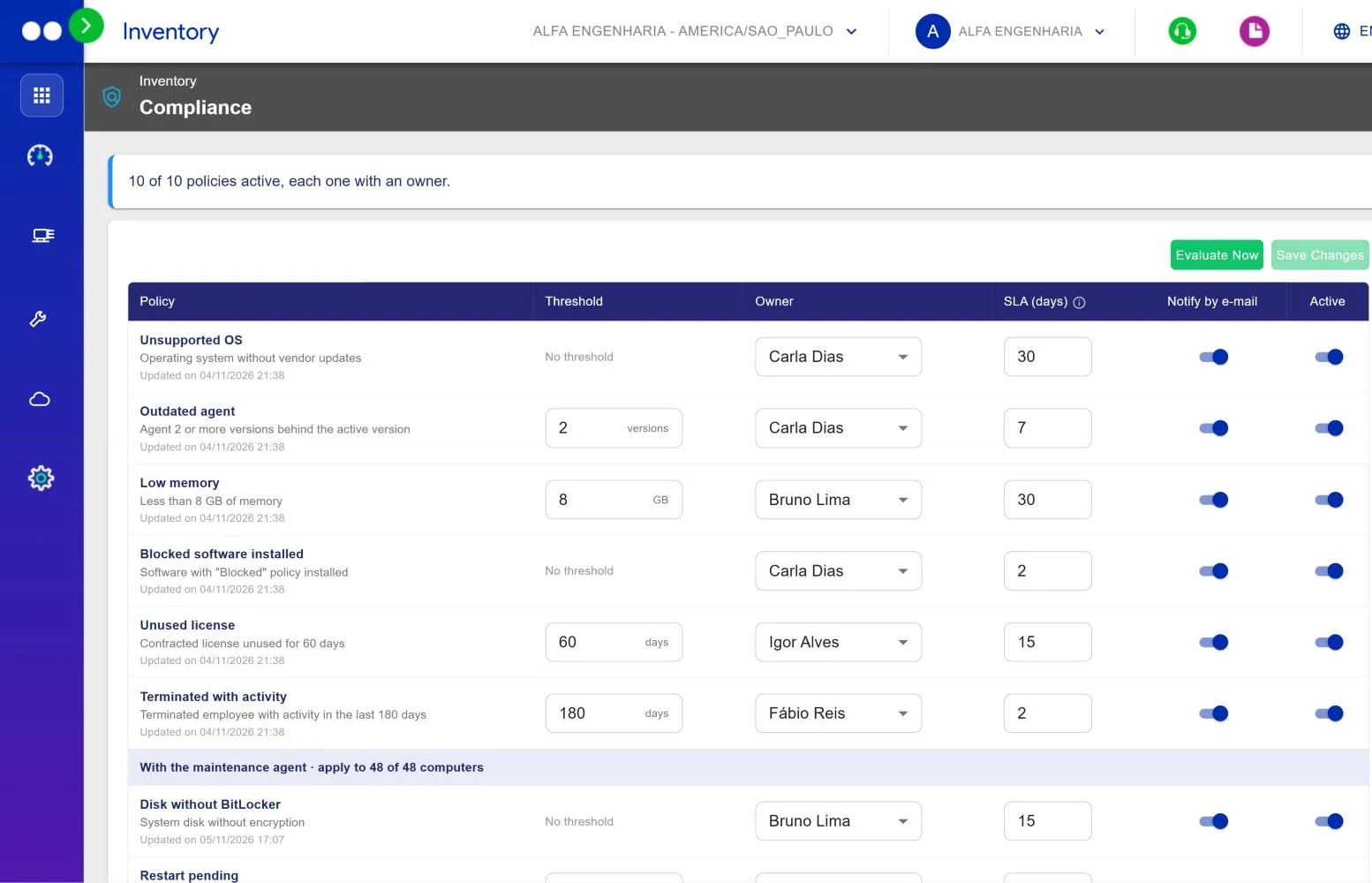
Policies and compliance
Fleet policies with deadlines to resolve
Antivirus, disk encryption and updates
Former employees with activity after offboarding
04
Remote maintenance
Health alerts for every computer
Windows Update and software updates
Install and remove software, clean up disks and schedule restarts
05
Smart X-Ray
AI diagnostics for one computer or your whole fleet
Score, critical items and a prioritized action plan
PDF report sent by email
06
Remote access
View and control the computer from your browser
Support without travel
No separate paid remote access tool
07
Actions and automations
Work orders that close themselves when the problem goes away
Quick bulk actions
Automations for repetitive tasks
08
Cloud costs
AWS, Azure and Google Cloud with read-only access
Cost per service, budgets and alerts
Where to save, plus unused Microsoft 365 licenses
09
For teams that serve multiple clients
Technician dashboard across multiple clients
Monthly report for each client
Option to have the Monitoo team manage it for you
Inside the module
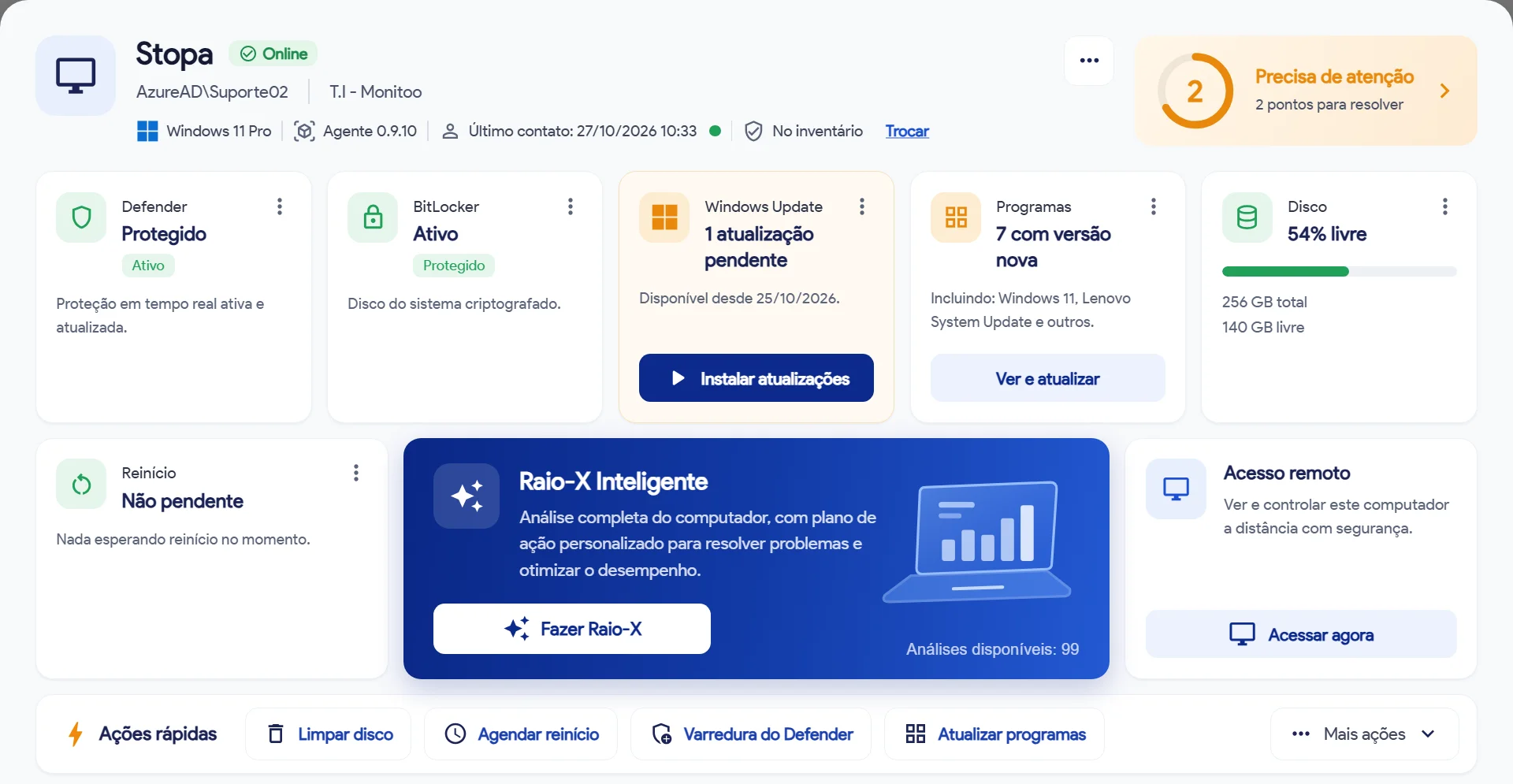
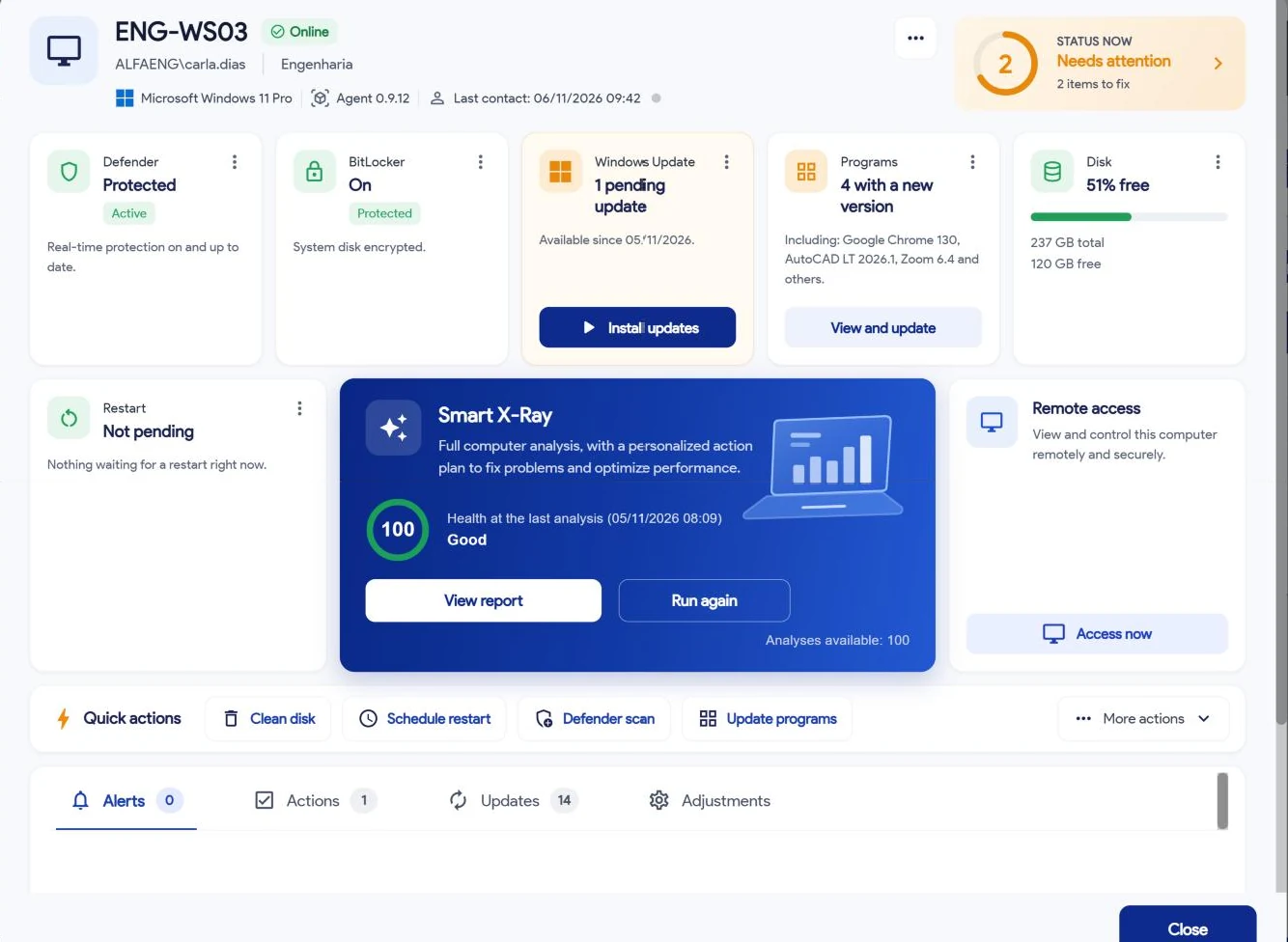
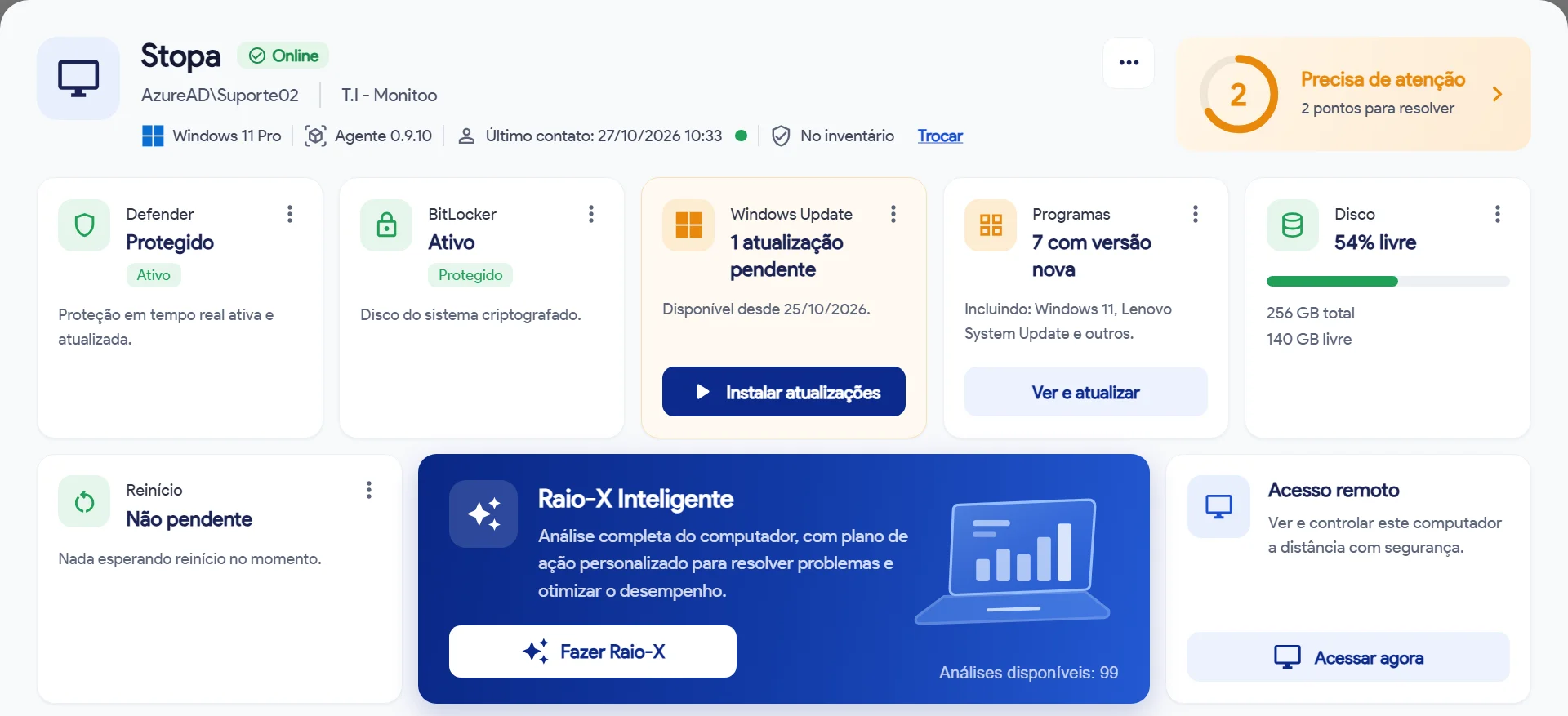
Everything about a computer on one screen
Each computer's details page shows what needs attention and offers the fix right there. Click the image to enlarge.
Needs attentionA summary of what to fix first on each machine.
Security at a glanceAntivirus, disk encryption and pending updates.
Smart X-RayA full analysis with an AI-generated action plan.
Remote accessConnect to the computer securely, straight from the dashboard.
Quick actionsClean up disks, schedule restarts, run scans and update software.
Stronger together
Even more useful if you already use Monitoo for productivity
The productivity module shows what each person does on their computer. Next to what IT Management knows about every machine, it answers questions neither one answers on its own.
Installed+Used=Spare license
Cut the licenses nobody opens
IT Management lists the software installed on each machine. Productivity shows which programs were opened in the last month. Whatever is installed but idle becomes savings at the next renewal.
AI licenses+Real use=Smart renewal
Know who really uses ChatGPT and Copilot
Before you renew or buy more AI licenses, see how many people use each tool and how often.
Former employee+Active computer=Alert
Catch access by people who have left
If a former employee's computer or account shows activity again, you get an alert. One less security risk.
One install+One login=One vendor
Everything on the same platform
Both modules share the same dashboard, login and support. Deployment to computers works the same way, over the network (GPO).
Every plan includes 1 remote session at a time and 100 Smart X-Ray analyses per month.
Additional simultaneous remote sessions are available.
Already use Monitoo for productivity? IT Management comes with a 10% discount.
Minimum of 10 computers per contract.
The prices above are for the IT Management module. Productivity and Time Tracking are separate modules.
Secure by default
LGPD compliant
Single sign-on (SSO)
Two-factor (2FA)
Signed commands
Audit trail
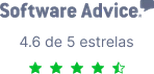
Highly rated by our users
Monitoo's rating on software review sites.
Frequently asked questions
Questions about the module
I already use Monitoo for productivity. Do I need to change anything?
No. The module runs on the same platform with the same login. Maintenance uses a companion agent, deployed the same way (GPO).
Which computers does it work on?
Windows computers. Talk to our sales team to check your fleet.
Do I need another remote access tool?
No. Remote access runs right from the Monitoo dashboard, in your browser.
Is it secure?
Commands sent to computers are signed, cloud connections are read-only, and the dashboard has single sign-on (SSO), two-factor authentication and a log of who did what.
Can I buy IT Management on its own?
Yes. Modules are sold separately, and our sales team builds a proposal for the size of your fleet.
FREE TRIAL
Try IT Management for free
Create your account now and start today: 7 days with Inventory, remote Maintenance, Smart X-Ray and remote access on up to 3 computers.
Account ready instantly, no credit card
Token and installer on screen and in your inbox
Help from our team with the installation, if you want it


 Module IT Management



 Talk to us
 Request free trial