



With the Scheduling feature, you can automate the delivery of Monitoo reports to multiple email addresses, ensuring that information always arrives at the right time — without needing to generate anything manually.
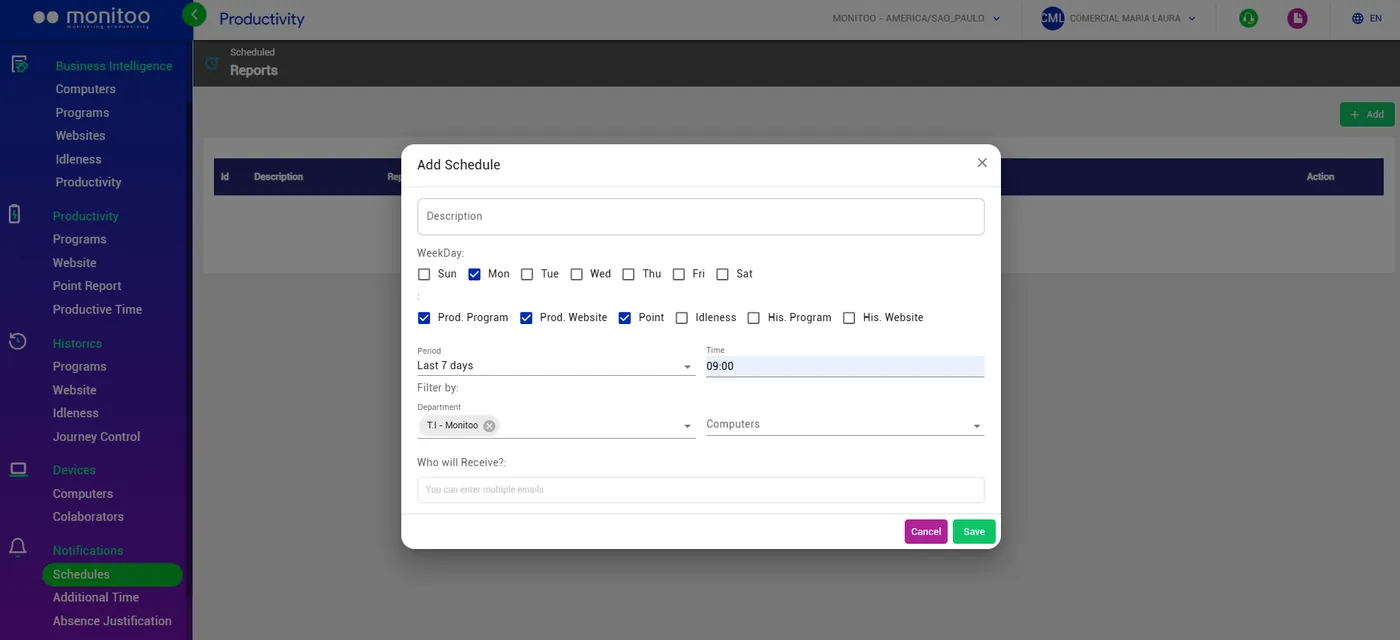
You can choose which reports you want to receive, such as:
Program Productivity; Website Productivity; Time Report; Idleness; Program History; Website History.
You can also configure:
The period (today, yesterday, last 3 or 7 days); The day(s) of the week and delivery time; The departments or computers included; The destination emails, with the option to add multiple recipients.
Reports are automatically sent in Excel format, ready for analysis and sharing.
 💡 Tip: Use this feature to keep managers and team leaders automatically updated — without needing to access the dashboard manually.
Great! Thanks for your feedback.
Tell our team what was missing: contact support on WhatsApp.
