

We use cookies to ensure you have the best experience on our website. If you continue to use this site, we will assume that you agree with our Privacy Policies , Use Terms and cookies.

Learn what the Idle Time History is and how it works in Monitoo

Records the periods considered idle, defined as 2 minutes without keyboard or mouse interaction. It also shows the duration of each interval, helping to identify patterns and opportunities to improve productivity.

1 minute read Updated on 18/11/2026

The Idle Time History shows which programs were classified as idle. By default, any time without keyboard or mouse interaction longer than 2 minutes is recorded as idle (this setting can be adjusted).

The report details the duration of each idle period and identifies in which programs employees remained inactive, providing a clear view of moments of inactivity.
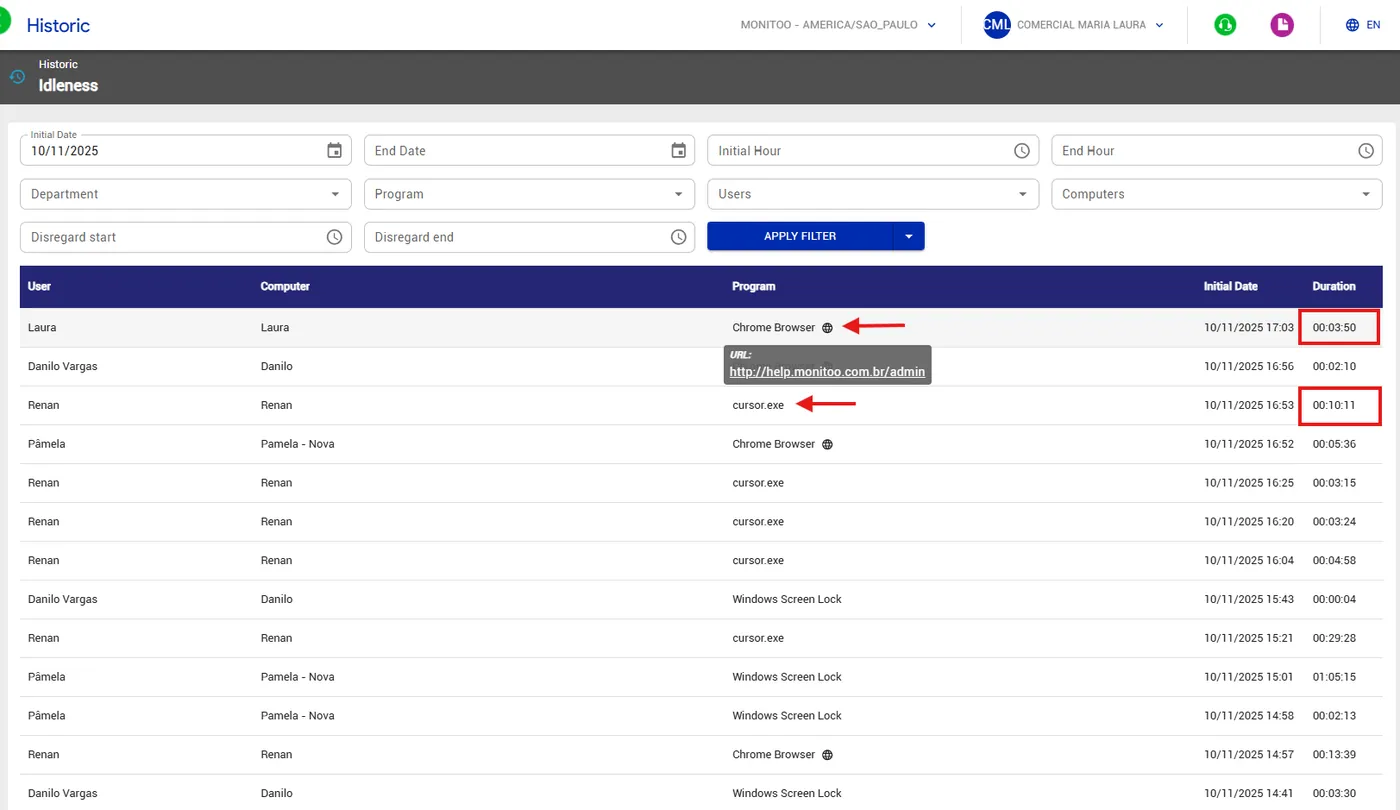
It is also possible to export to Excel for a more detailed view.
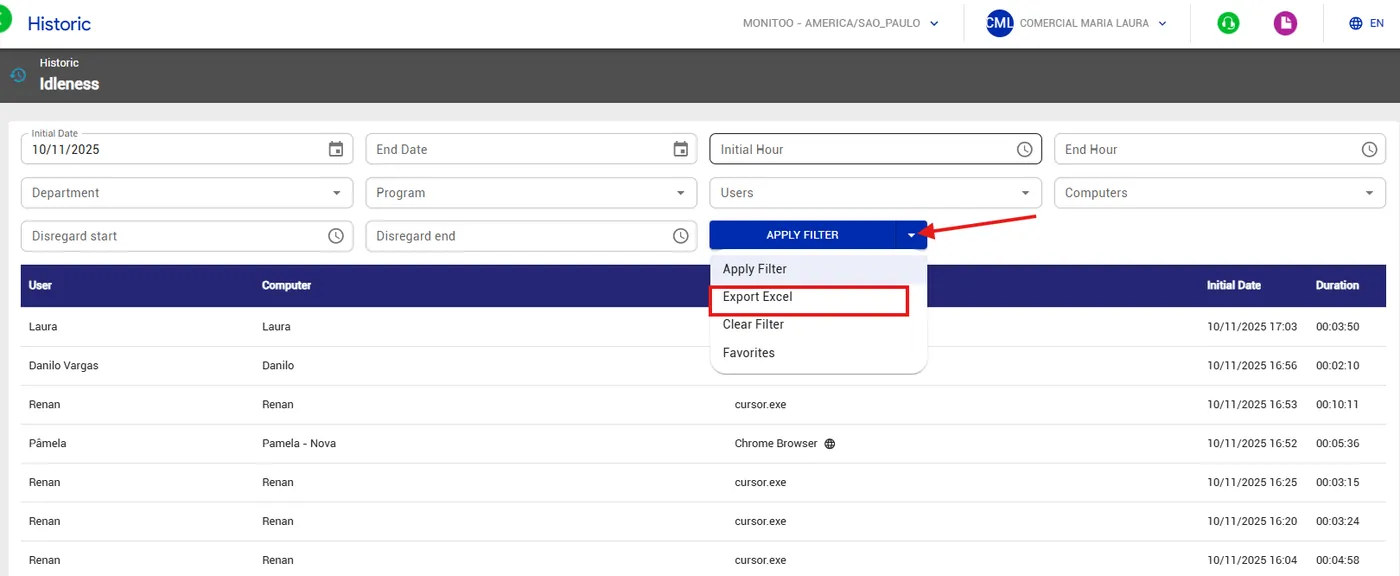
See how:

Was this article helpful?

Still need help?

Didn't find what you were looking for? Talk to our team on WhatsApp and get it solved by people who know Monitoo inside and out.

WhatsApp Request free trial