



In Settings → Categories, you can create new categories to classify the websites and programs used by employees.
The system already includes a list of default categories, which are automatically applied based on the usage of sites and applications. However, you can customize this classification by creating specific categories according to the needs and policies of your organization.
To create a new category:
Click Add → Select the category type (choose whether it will be used for Programs or Websites) → Enter the category name → Click Save to complete the registration.
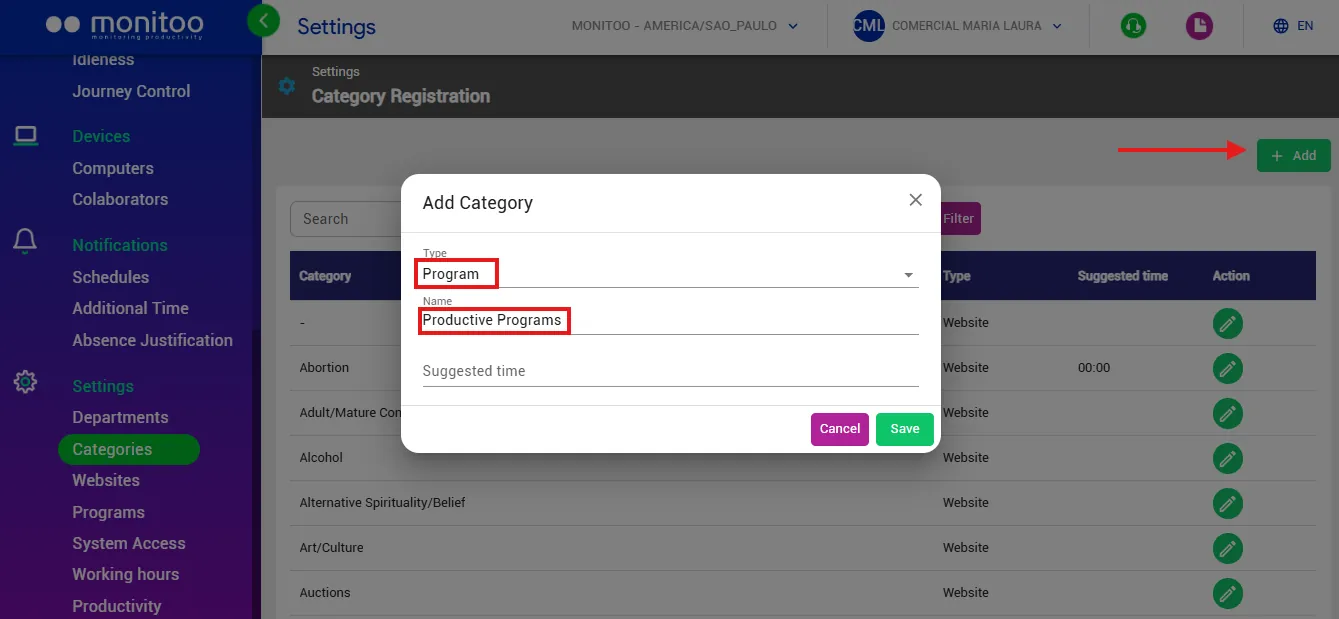
After creating the category, you can rename the desired programs or websites according to this new category.
Great! Thanks for your feedback.
Tell our team what was missing: contact support on WhatsApp.
